Apple held its Worldwide Developer Conference last night, its annual shindig that highlights new software updates heading to the iPhone, iPad, Mac and Apple Watch lines.
It saw a huge host of updates, including iOS 15 – which will land on iPhones this September – as well as a new MacOS called Monteray, iPad OS 15 and WatchOS 8.
Here’s everything that you need to know:
So FaceTime is getting a big upgrade
When iOS 15 lands on your iPhone, it will bring with it big updates to FaceTime, Apple Maps, Weather and Wallet.
FaceTime is getting special audio, which will make voices sound as if they are coming from where users are positioned on the screen. Portrait mode is also now available, for better-quality video, and there’s a new grid layout (Apple is taking it to Zoom).
Also, anyone can now use FaceTime – not just those with Apple devices – via a web browser on Android and Windows devices.
The new MacOS will play nice with all Apple devices
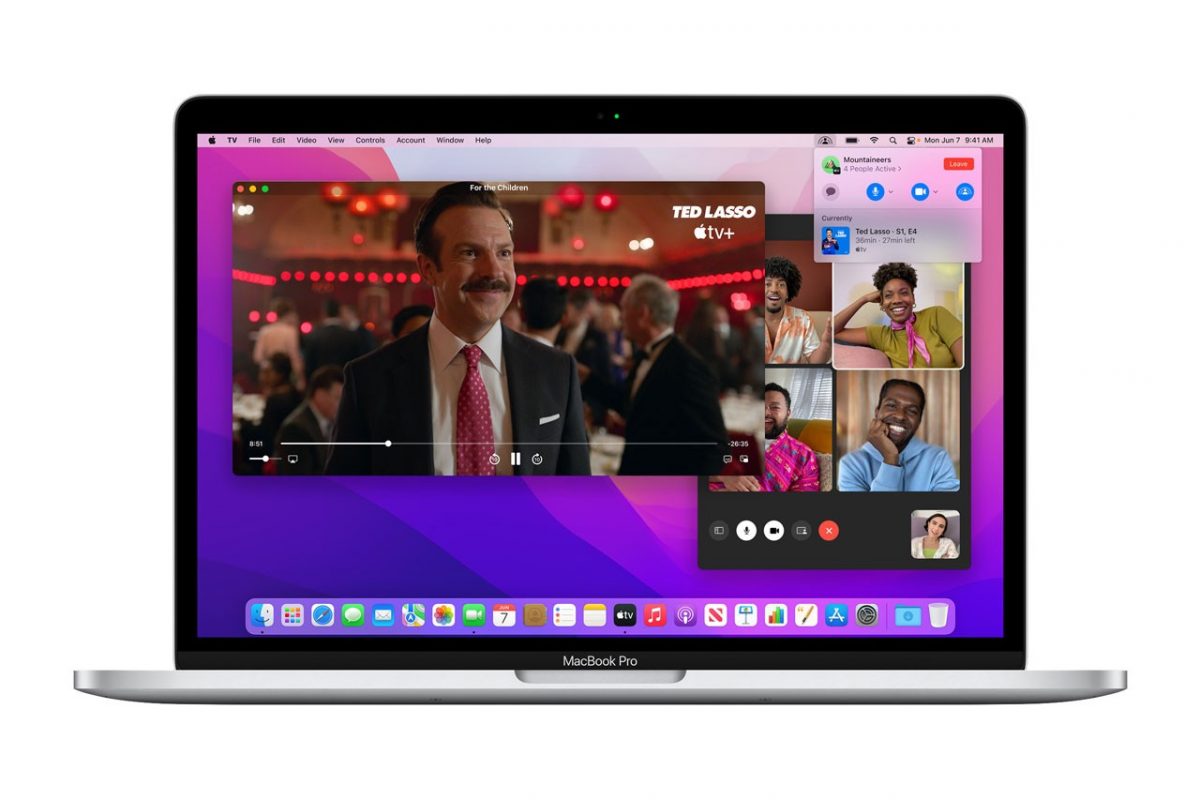
Apple debuted SharePlay – a feature that will be available on iMac, Macbook Air, Macbook Pro and Mac Minis (and that includes Intel-based Macs, too).
It lets users share experiences between devices so you can seamlessly switch from iPad to Mac to iMac.
That means if you were to simply place your iPad next to your MacBook (for example), you would be able to use your computer’s mouse to drag files from your iPad to your MacBook desktops.
Effortless multitasking is coming to the iPad
Apple continues to turn its tablet into a fully-blown computer, with new multitasking features that let you open Split View or Slide Over mode with a single tap (it’s a bit more intuitive, thanks to a new button as opposed to gesture controls).
Widgets can now be scattered across the iPad home screen, and iPadOS 15 will also bring with it the App Drawer (which debuted on iPhones last September).
Apple also introduce quick note, which lets you jot down thoughts while using another app.
Further enhancements to Apple Watch
The new WatchOS 8 will give your Apple Watch some new skills, including the ability to unlock your car from a distance, and add keys to your home, office, or hotel (meaning you won’t need a physical key card, you can just walk up to your door wearing your Apple Watch and the door with automagically open for you).
Fresh look for Safari
Apple has redesigned Safari with new look tabs and tab groups. It will look the same across both iOS, iPadOS and your mac. Web extensions are also on the way for both iOS and iPadOS.
IOS 15 is an important update
Apple has built-in some big updates to notification on the iPhone, as well as set up custom work and play modes.
A new feature called Focus will allow users to match their iPhone to what they are currently doing. Set it to work mode, for example, and notifications from apps like Facebook and Netflix will be muted. And on the weekend, it will keep work emails and calendar updates hidden.
SharePlay will let you watch movies with your friends
A big update across all of Apple’s devices is SharePlay. It will allow users to listen to music, watch movies, and share screens across FaceTime, and will sync across third-party partners, including Disney+, Hulu, HBO Max, NBA, Twitch and TikTok.
That makes for digital watch parties, whereby you and your mates can sit down and chat about what you’re all watching in real time.
Health features are a big deal
Apple continued to stress the importance of its Apple Watch for those with health issues. New workouts such as Tai Chi and Pilates have been introduced with WatchOS 8, along with an updated Breathe app (Apple said its use has spiked over the last 18-months).
Apple has also added new developer tools in iOS to better track things like resting heart rate, sleep and cardio fitness. And new steadiness metrics can even track things like your walking gait, and provide insight into fall risk.
Open about privacy
Apple is continuing to drive home the importance of privacy with regards to digital devices. New features in Apple Mail will now automatically block tracking pixels in email newsletters, and Safari will hide IP addresses.
Apple is also introducing a new section in its settings, called App Privacy Report – it will tell you which apps are syphoning off what data.
Text integration is coming to your camera
One of the more interesting updates is with regards to the iPhone and iPad cameras. New text recognition will allow you to snap pictures of a sign, menu, or your handwritten notes (for example) and then copy + past those notes digitally.
Basically, your camera can read now.